Use Cases
Australian Working Day Use Cases
Head Contractor:
SOPA Payment Schedule Response Deadline (NSW)
Scenario
A head contractor is served with a payment claim on 18 December 2026 for a Sydney project. Section 14 of the NSW Act uses the earlier of the contract period and 10 business days. This example assumes the statutory 10-business-day period is the applicable one.
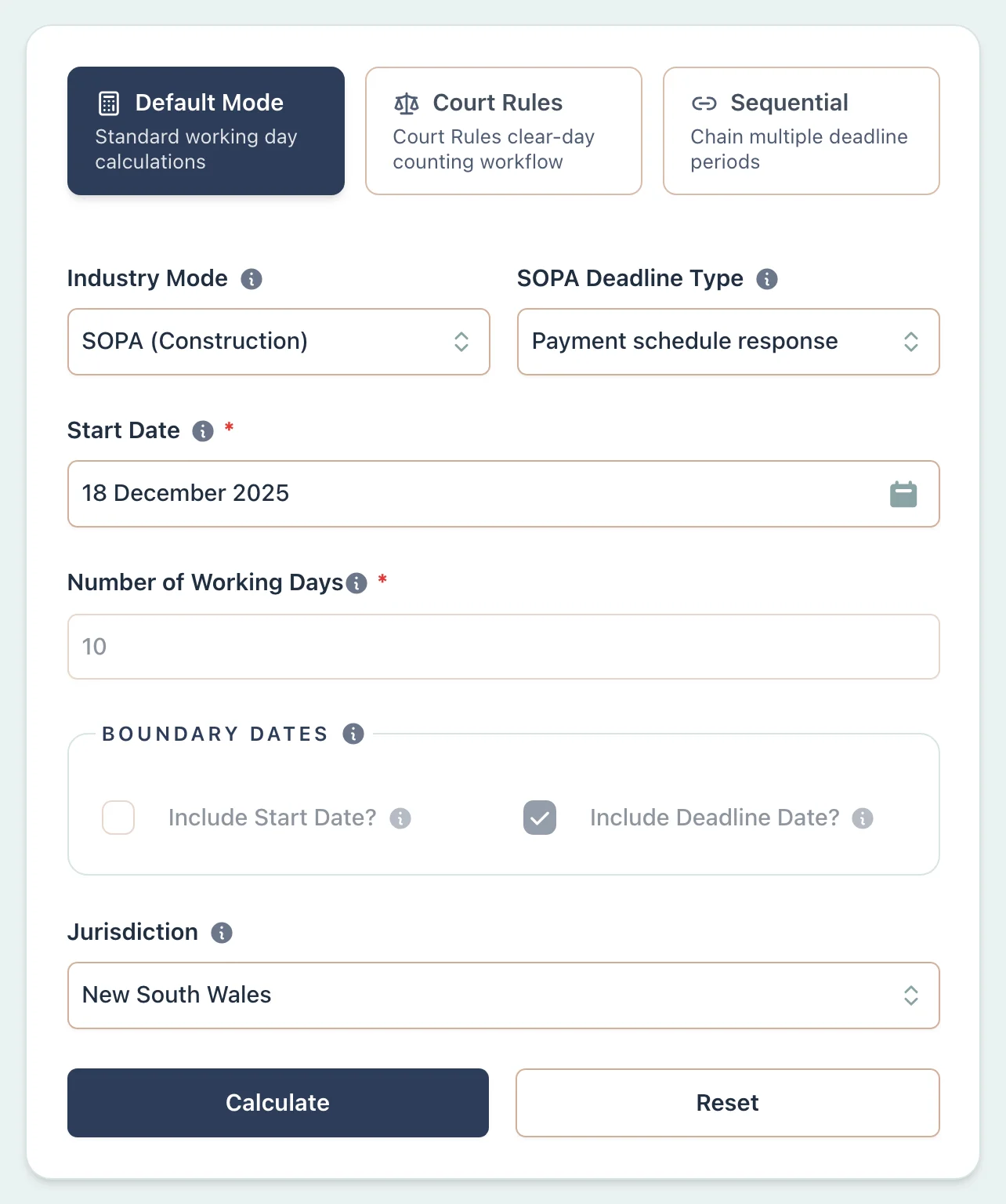
Example Workflow
Use the step row to inspect each part of the workflow.
9 stepsStep 1
Deadline
Select Deadline
Result Example
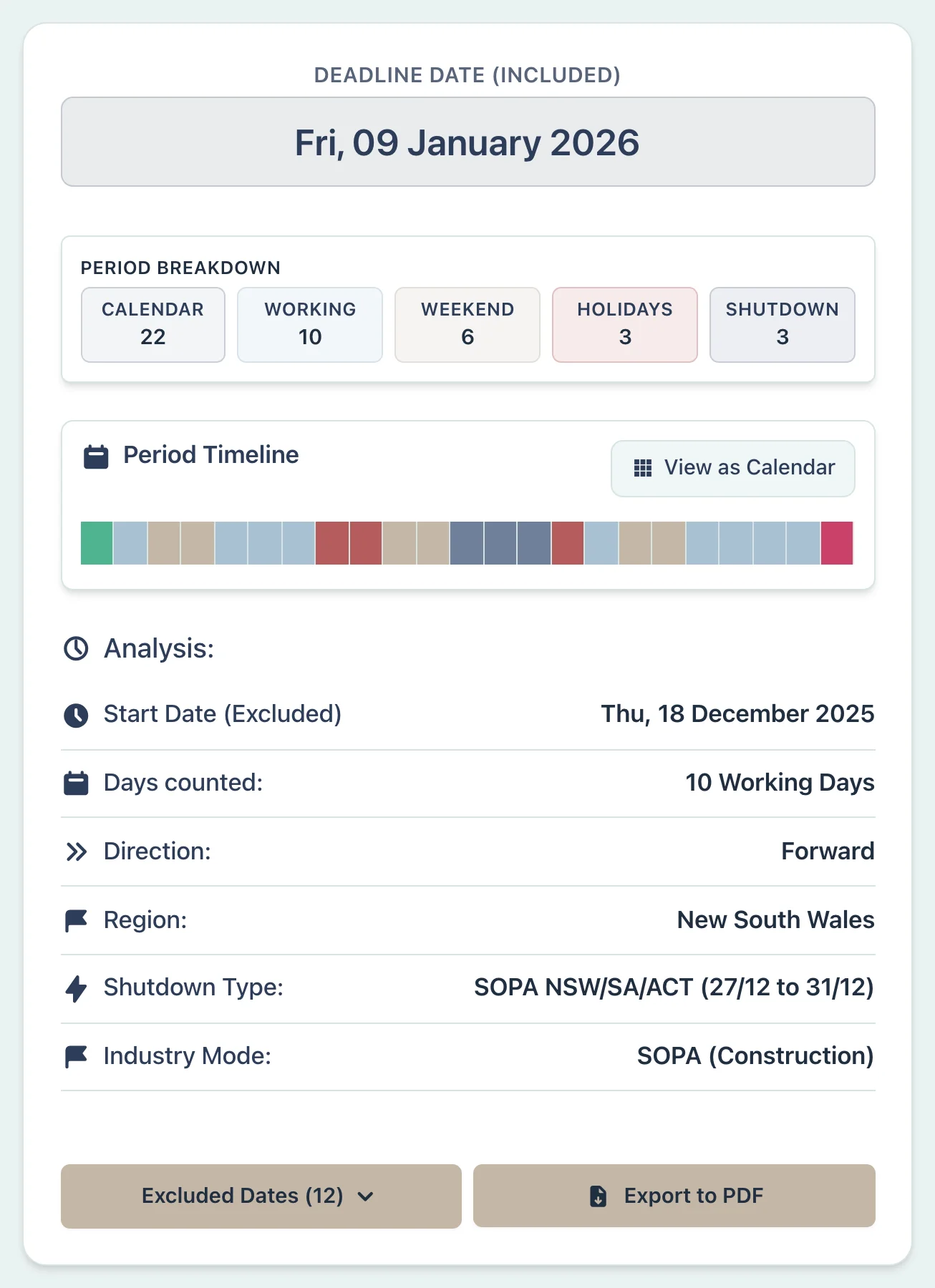
Why This Matters
- •Excludes 27–31 December under the NSW statutory definition
- •Keeps the period visible and editable instead of guessing the applicable SOPA branch
- •Lists the weekends, public holidays and statutory exclusions used in the count
Litigation Solicitor:
Defence Filing Deadline During Court Vacation (VIC)
Scenario
Assume a Victorian Supreme Court rule fixes a 28-day filing period from 12 December 2026. This example treats that date as the correct start date and uses the profile's ordinary boundary settings. Rule 3.04 excludes 24 December to 9 January from the count unless the Court orders otherwise. Before relying on the result, check the applicable rule or order for the correct period and start date.
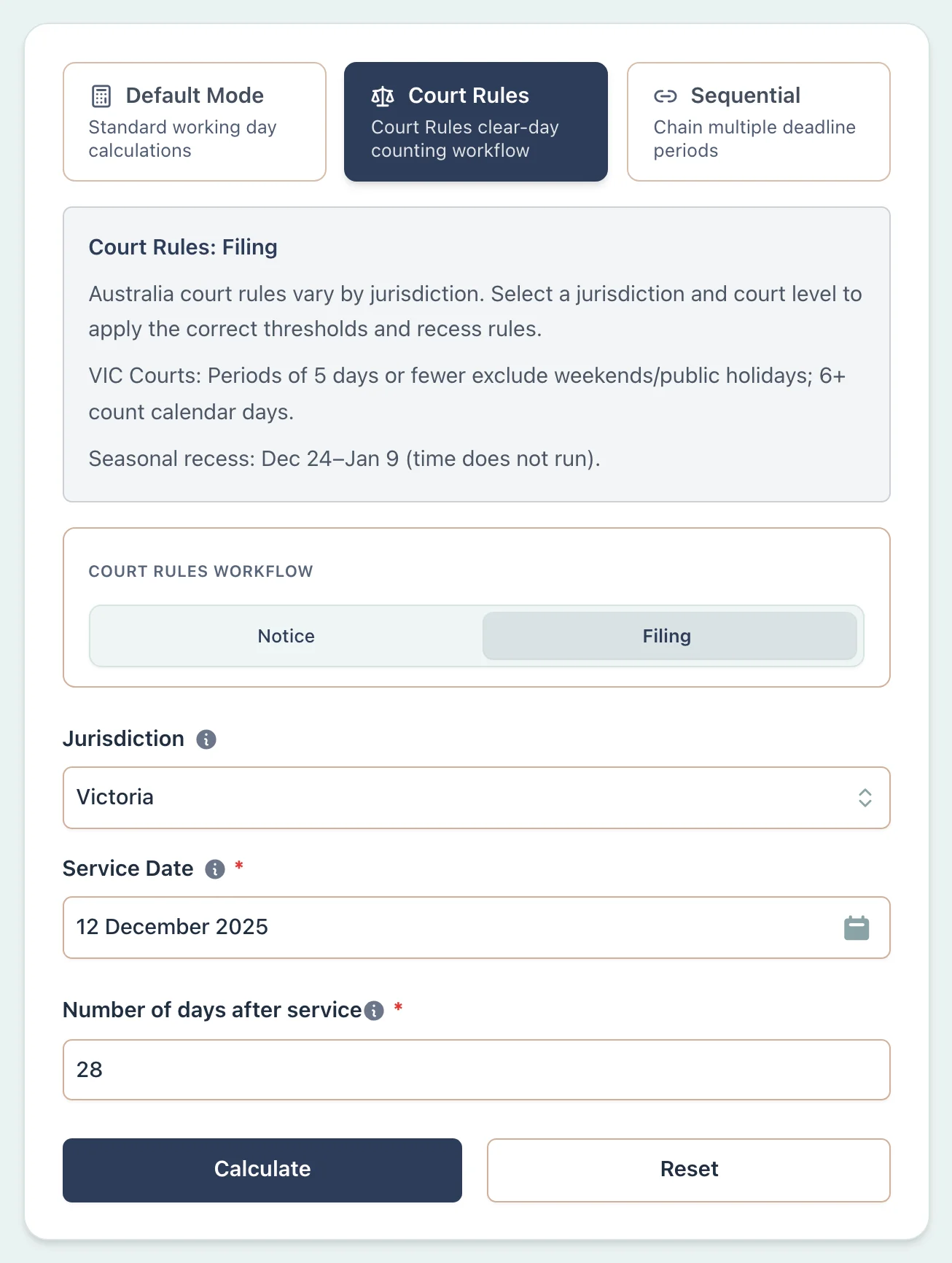
Example Workflow
Use the step row to inspect each part of the workflow.
9 stepsStep 1
Deadline
Select Deadline
Result Example
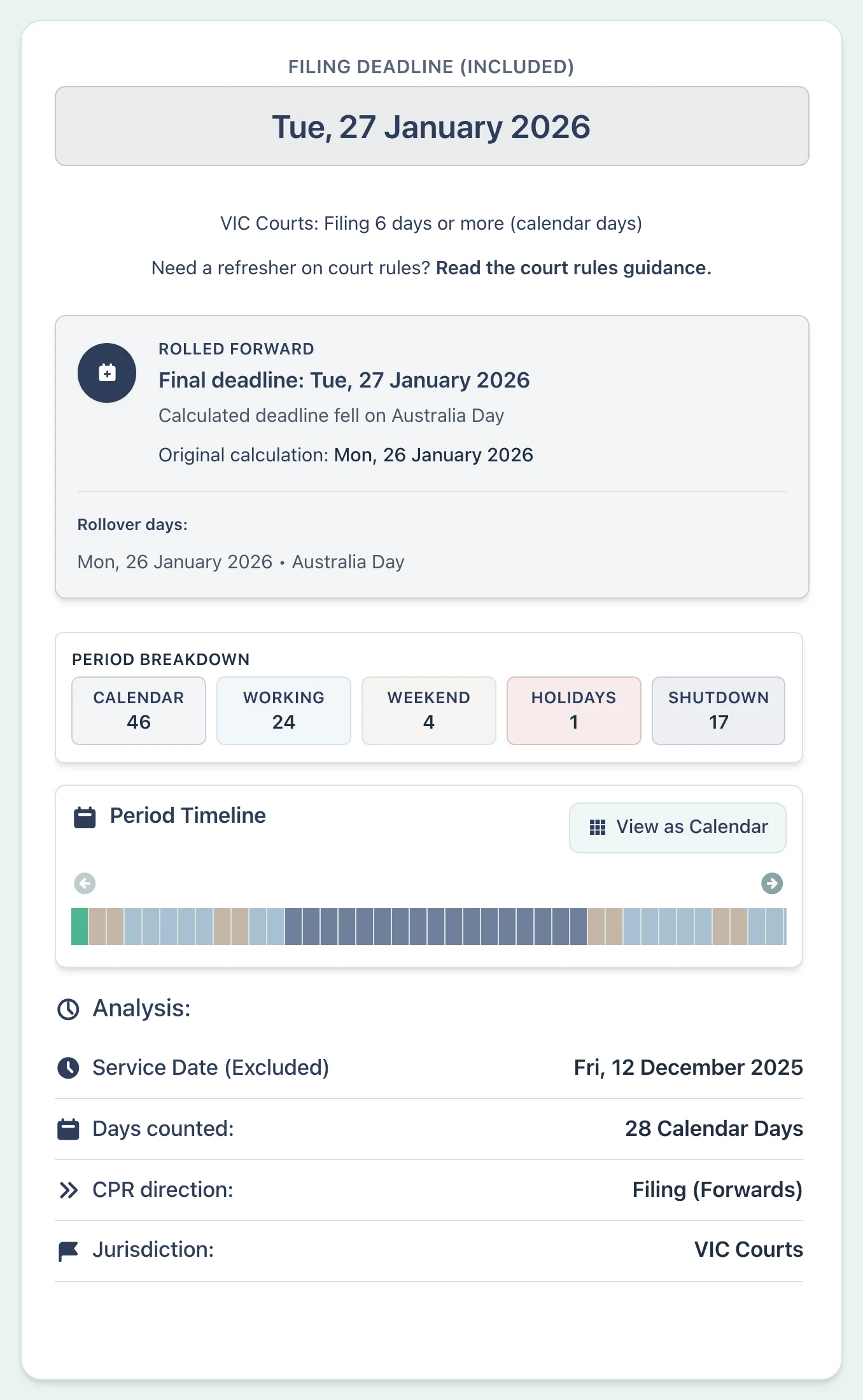
Why This Matters
- •Applies the fixed 24 December–9 January exclusion in Victorian rule 3.04
- •Shows the 17 excluded dates and the Australia Day final-date rollover
- •Keeps the supplied trigger date and boundary settings visible
HR Manager:
Multi-State Consultation Period Across King's Birthday
Scenario
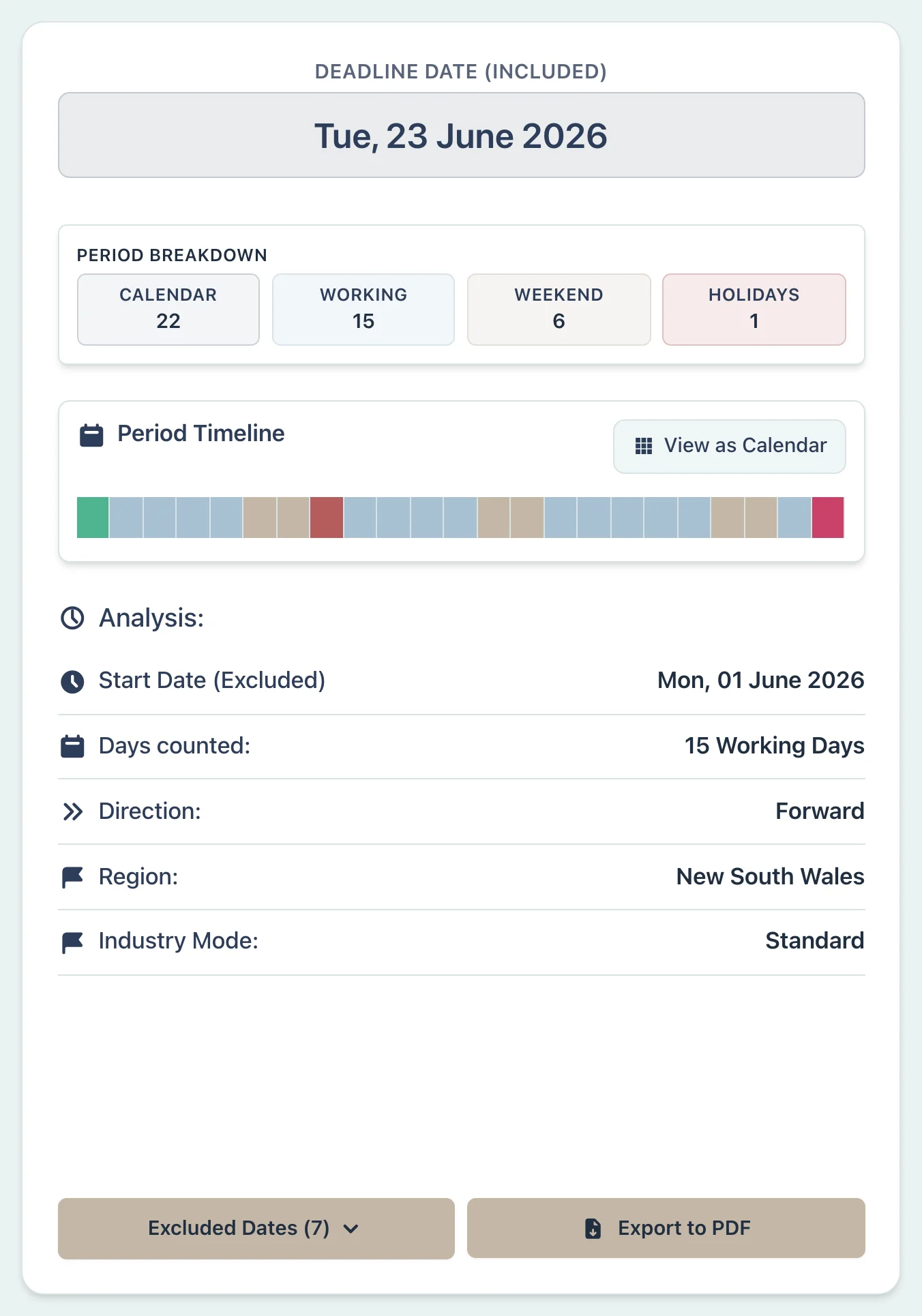
Assume an enterprise agreement gives employees 15 working days for consultation from 1 June 2026. The same period is being counted for workplaces in Sydney and Brisbane. King's Birthday falls on 8 June in NSW but on 5 October in Queensland, so only the NSW count meets that holiday in June. Check the agreement for the applicable period, trigger, and employees covered.
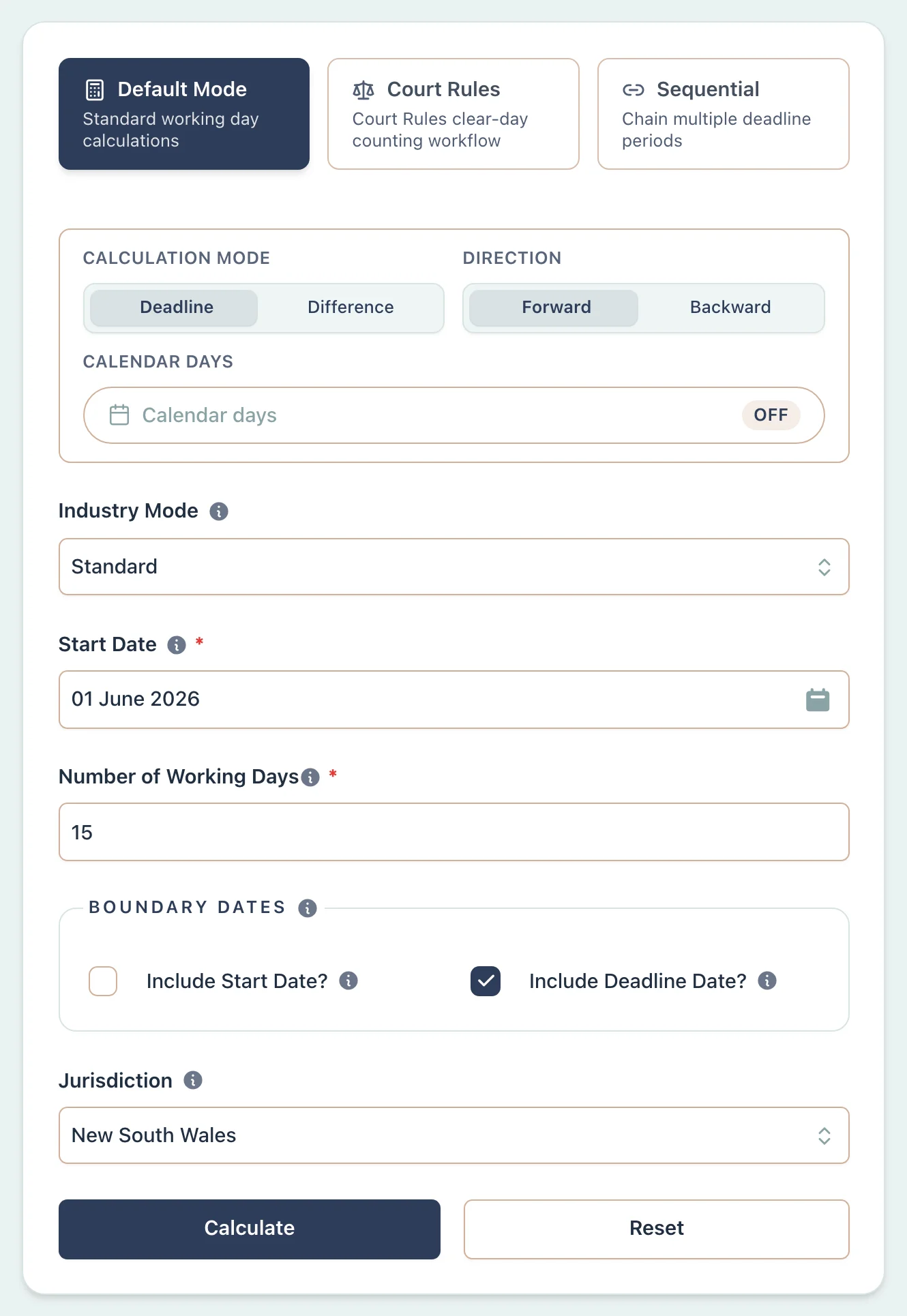
Example Workflow
Use the step row to inspect each part of the workflow.
9 stepsStep 1
Deadline
Select Deadline
Result Example
Why This Matters
- •Shows how the same supplied period changes between NSW and Queensland
- •Uses the public holidays for each state
- •Keeps the state and boundary settings visible
- •Leaves the source and length of the consultation period for separate checking
Construction Manager:
Contract Milestone Across Melbourne Cup Day
Scenario
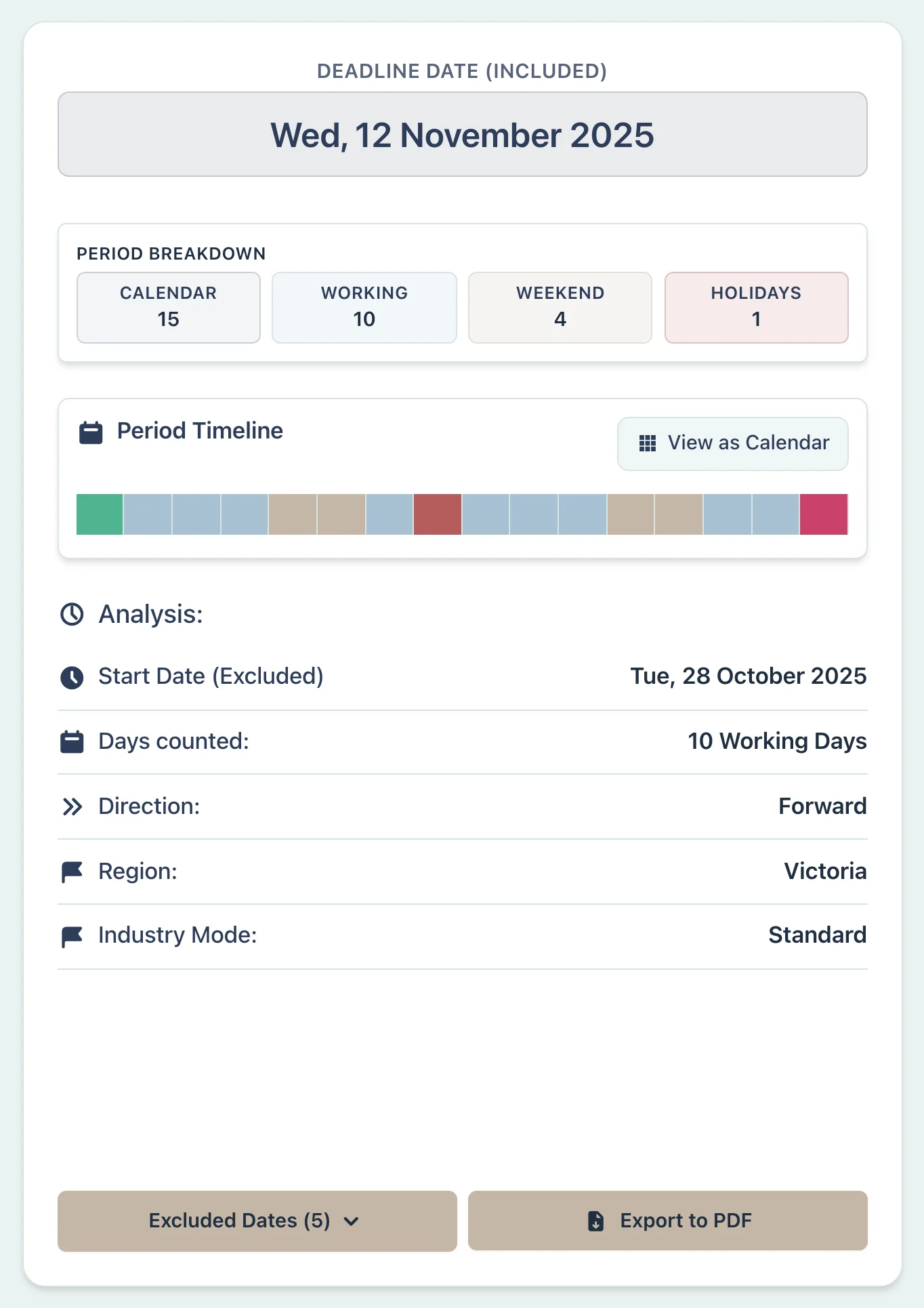
A contract variation notice is issued on 27 October 2026, with a user-supplied period of 10 working days. The statewide Victorian selection excludes Melbourne Cup Day on 3 November. Greater Geelong used its official local alternative on 21 October instead, before this count began, so 3 November is a working day for that local selection.
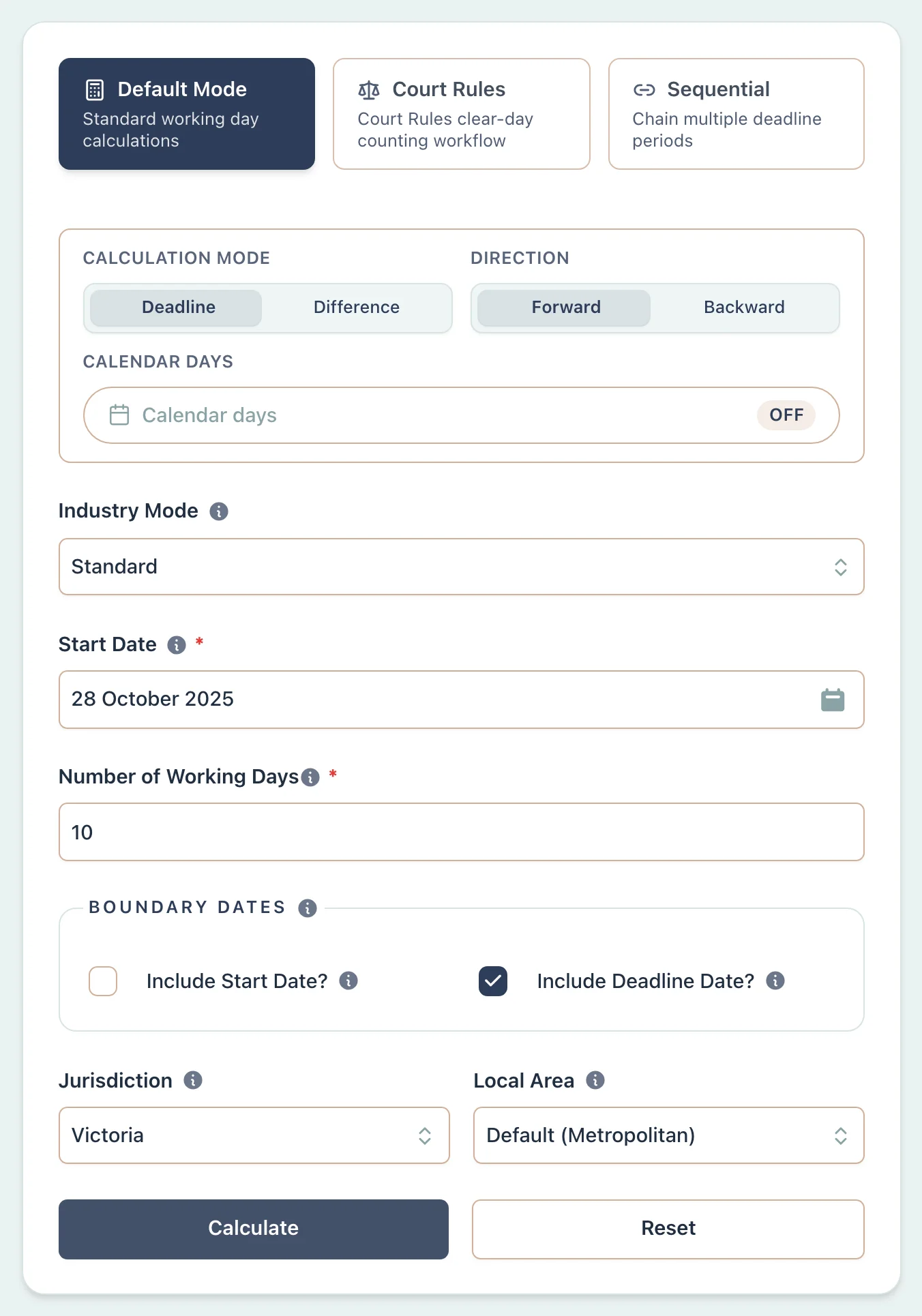
Example Workflow
Use the step row to inspect each part of the workflow.
9 stepsStep 1
Deadline
Select Deadline
Result Example
Why This Matters
- •Accounts for Melbourne Cup Day (first Tuesday in November) as a VIC public holiday
- •Highlights geographic boundary issues within a single state
- •Shows how an annual local alternative can change the result by one day
- •Keeps the locality choice visible instead of inferring it from a contract
Conveyancer:
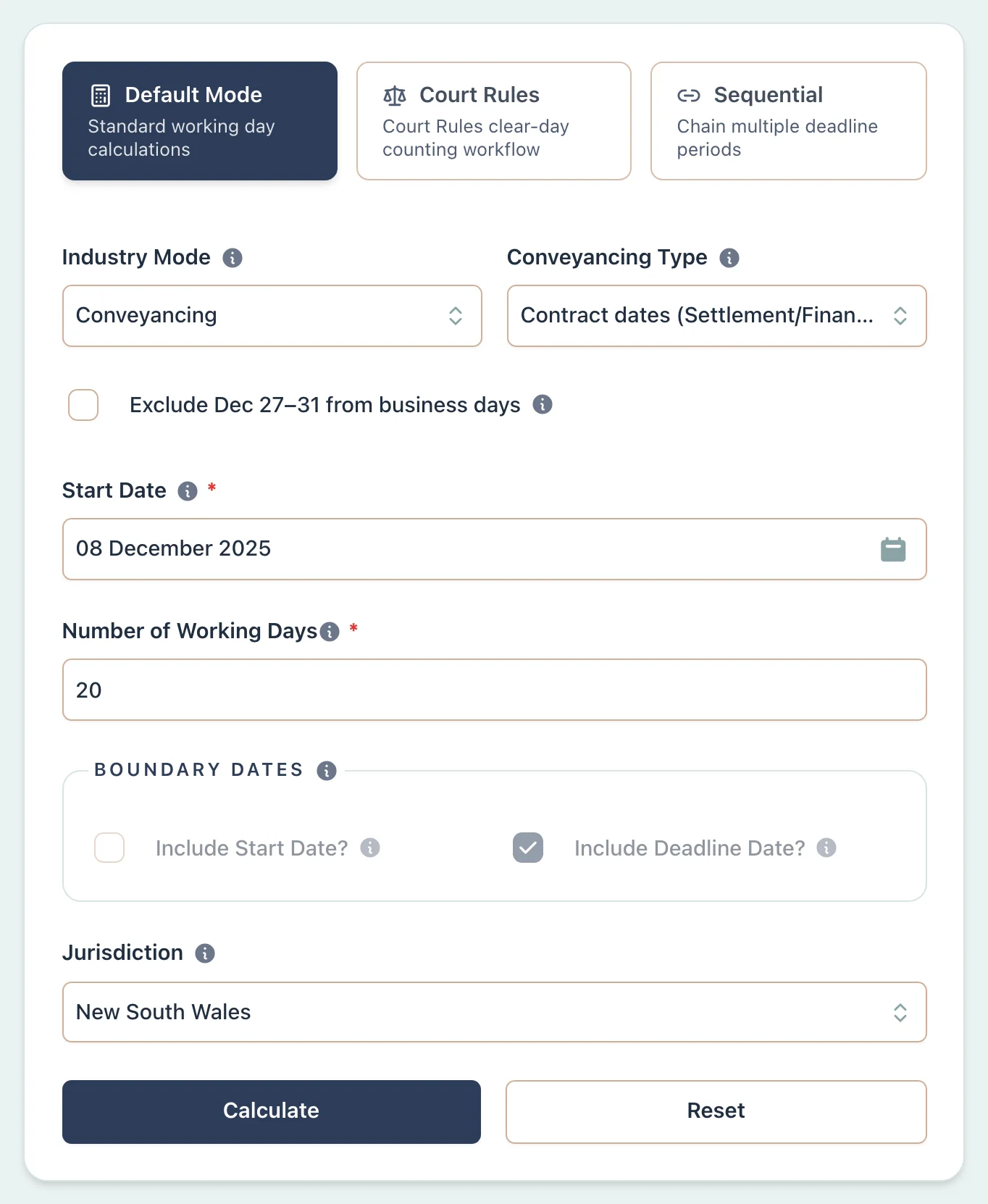
Property Settlement Spanning Christmas (NSW vs SA)
Scenario
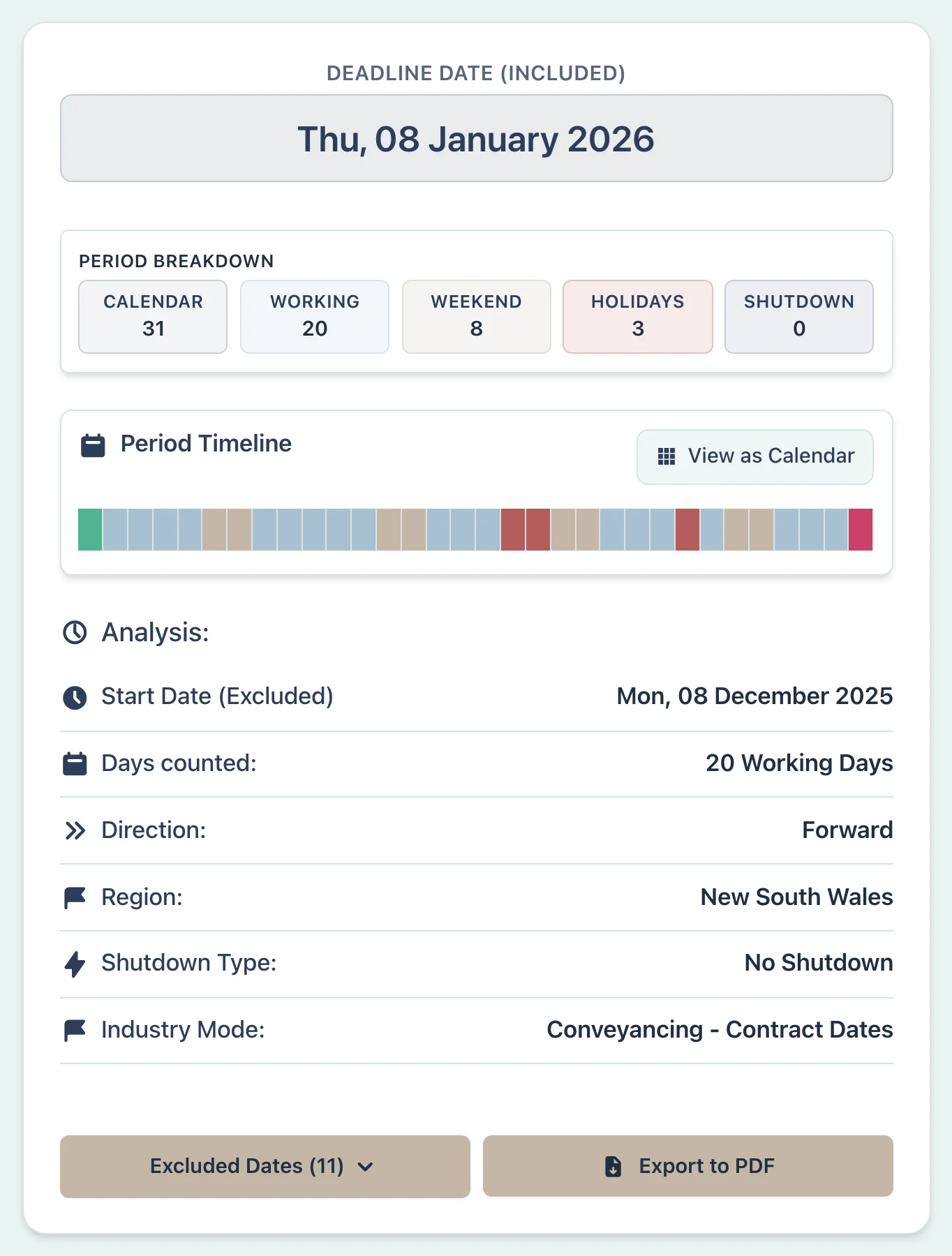
Assume two contracts, one in NSW and one in South Australia, each set settlement 20 working days after 8 December 2026. Neither contract adds a separate 27–31 December exclusion. The public holiday on 26 December is called Boxing Day in NSW and Proclamation Day in South Australia, but both states produce the same result in this example.
Example Workflow
Use the step row to inspect each part of the workflow.
10 stepsStep 1
Deadline
Select Deadline
Result Example
Why This Matters
- •Counts the user-supplied contractual period using each state's public holidays
- •Keeps the optional Conveyancing contract — December (27–31 December) off unless the contract requires it
- •Shows the different NSW and SA names for the 26 December holiday
- •Leaves banking, PEXA, contract, and settlement arrangements for separate checking
Contracts Administrator:
Contract Notice Period Spanning Show Days (QLD)
Scenario
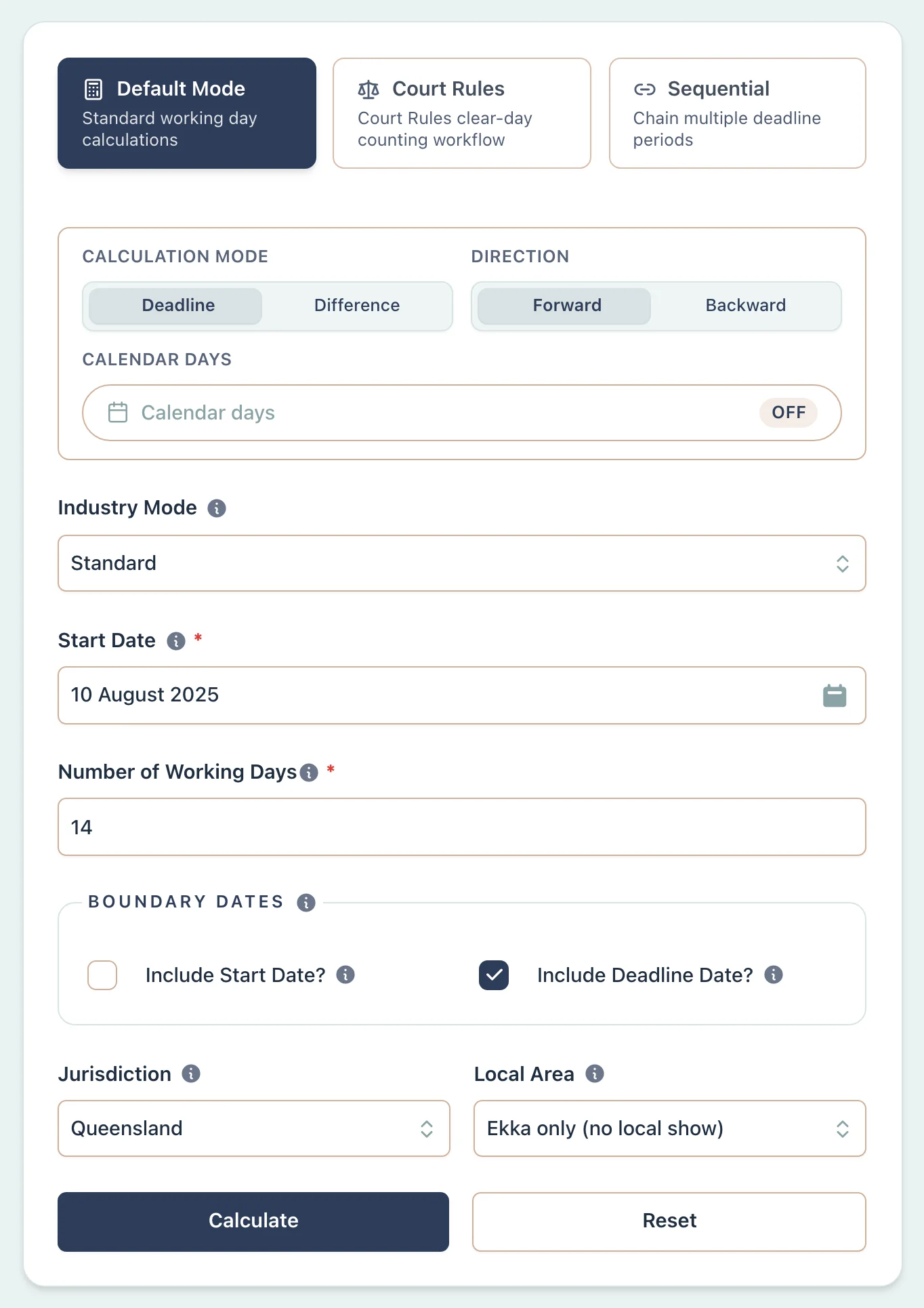
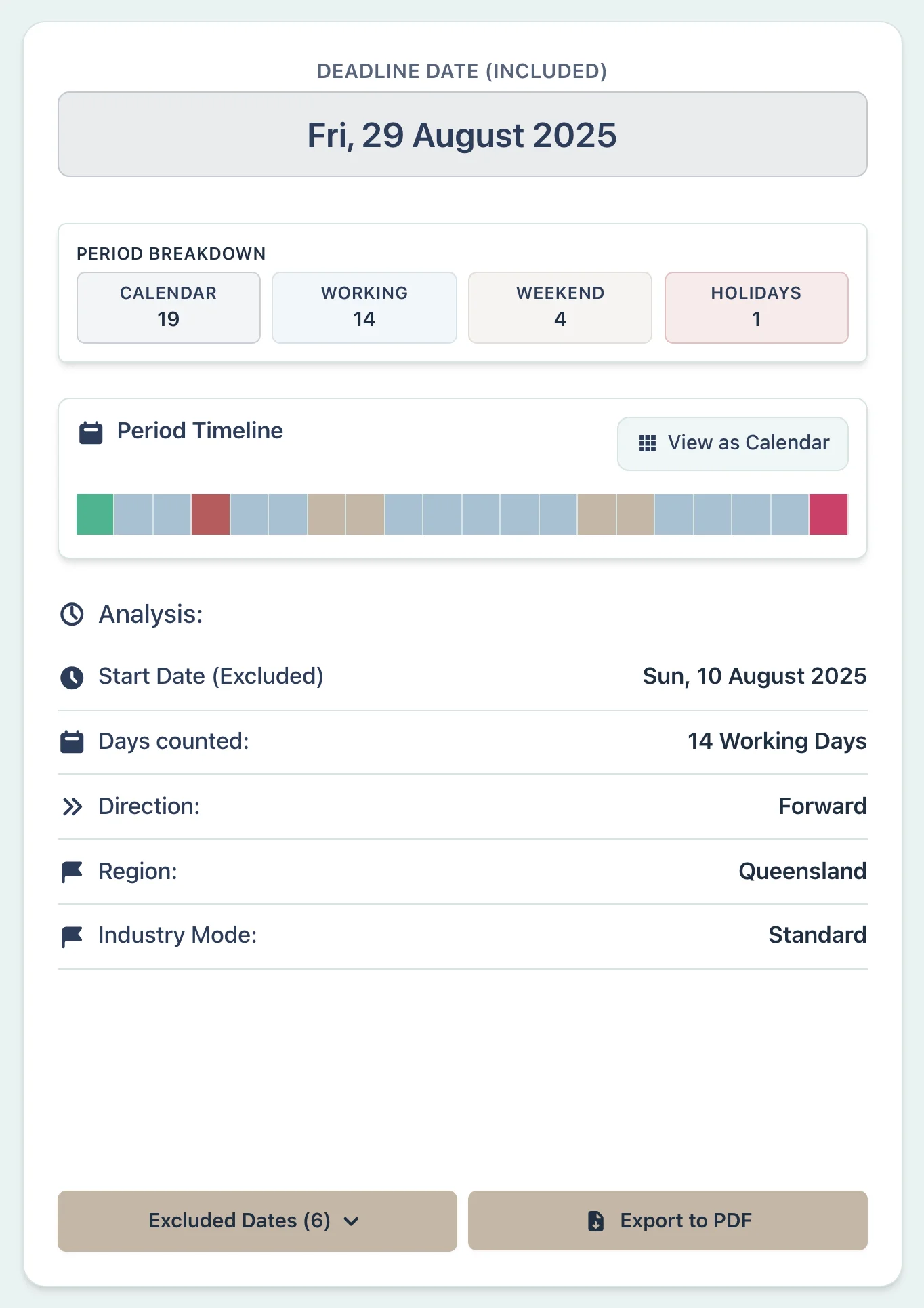
Assume a contract uses the public holidays for the place of work and gives 14 working days from 9 August 2026. Brisbane's show holiday was the Ekka on 12 August. The City of Gold Coast had its own show holiday on 28 August instead; it did not also use Brisbane's Ekka date. Select both the state and the local holiday area.
Example Workflow
Use the step row to inspect each part of the workflow.
10 stepsStep 1
Deadline
Select Deadline
Result Example
Why This Matters
- •Uses Brisbane's Ekka date only for the Brisbane profile
- •Replaces that date with the selected district's sourced show holiday
- •Keeps the district and annual holiday choice visible
Litigation Lawyer:
Pleading Deadline During the WA Court Vacation
Scenario
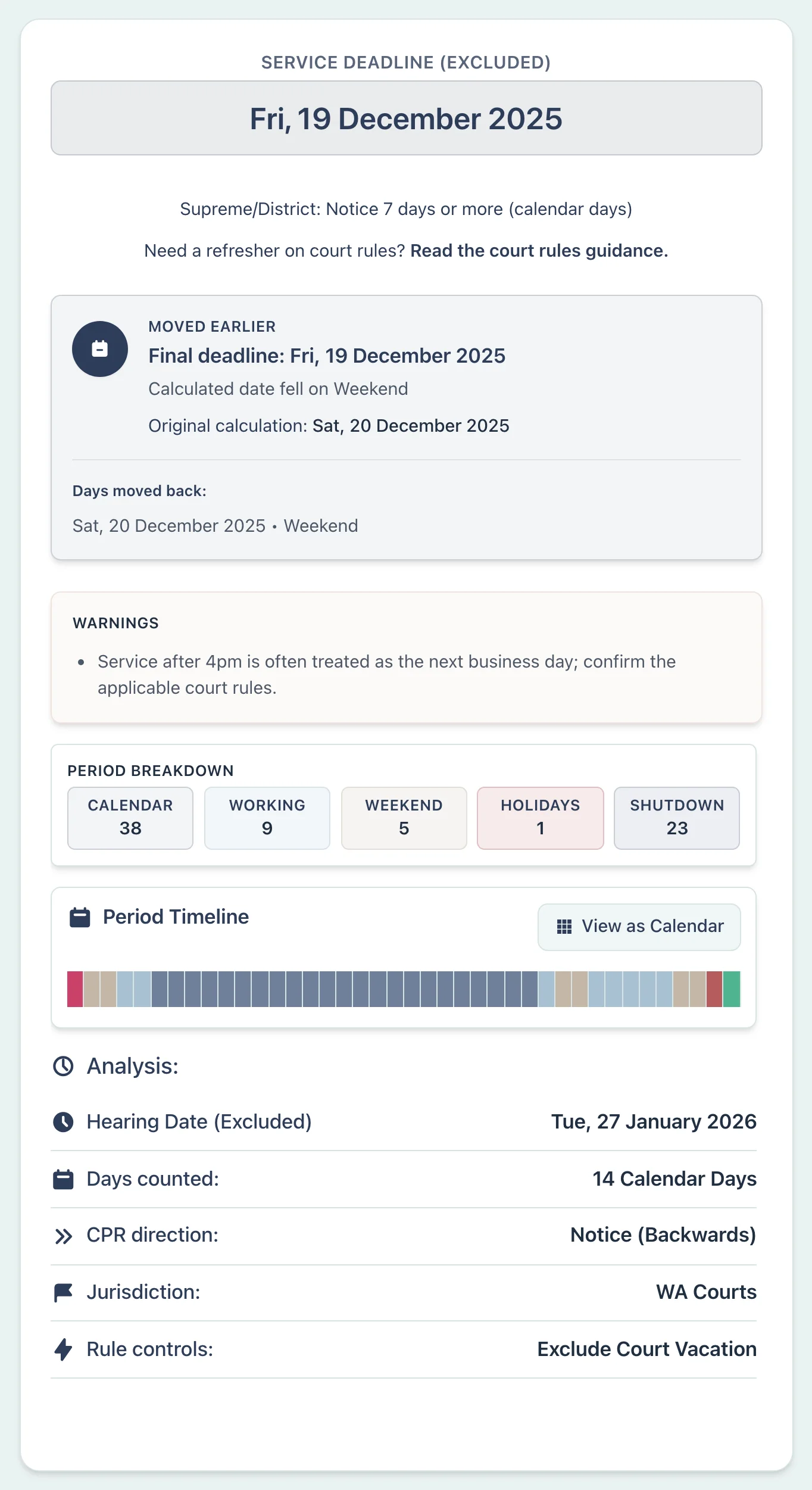
Assume a WA Supreme Court rule requires a pleading to be served 14 days before a hearing on 27 January 2026. The user has checked that Order 3 rule 3 applies, so the optional 24 December–15 January vacation control is turned on. This example uses the ordinary boundary settings. Confirm that the document is a pleading covered by the vacation rule before using the result.
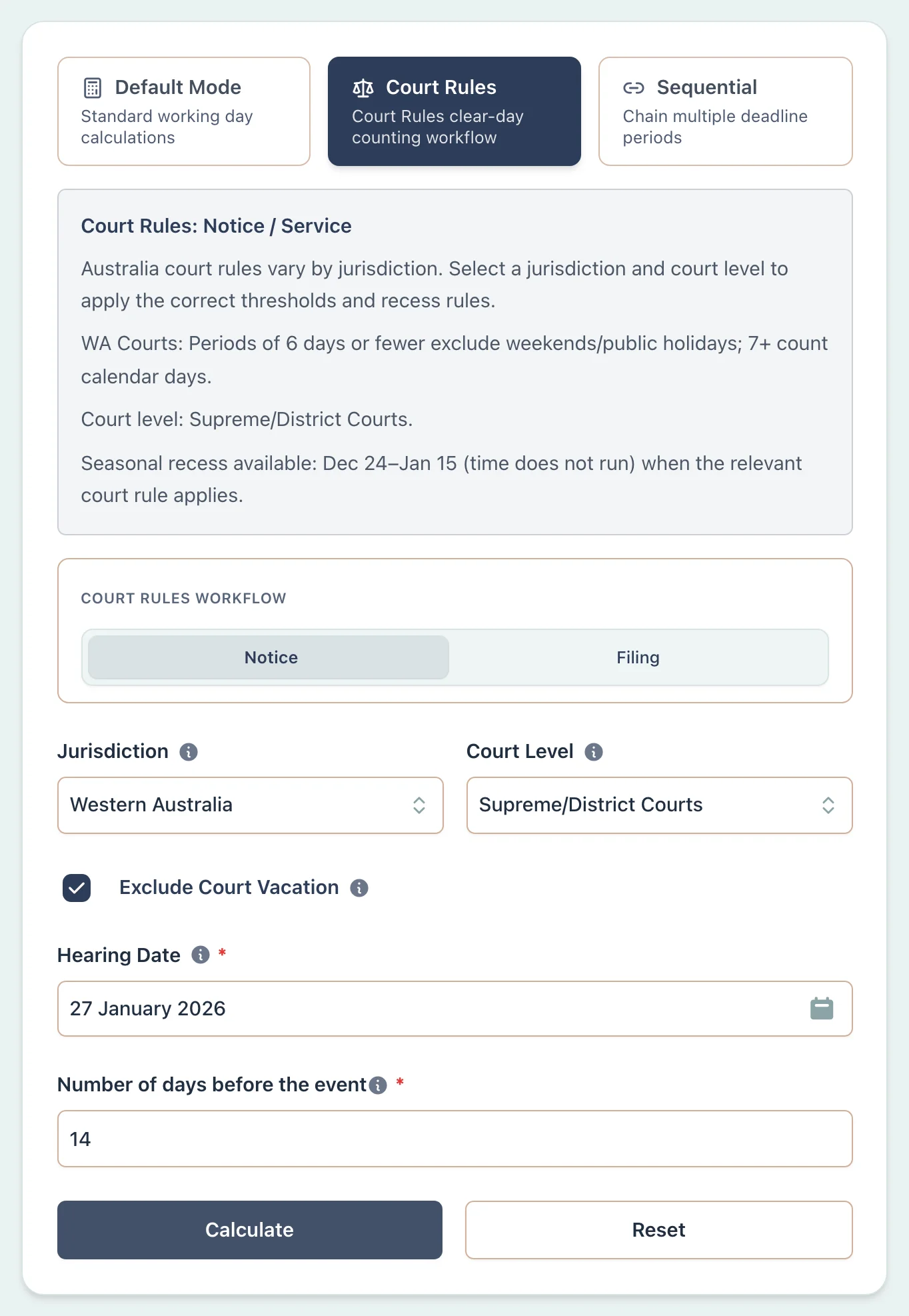
Example Workflow
Use the step row to inspect each part of the workflow.
11 stepsStep 1
Deadline
Select Deadline
Result Example
Why This Matters
- •Applies the optional 24 December–15 January exclusion to a qualifying pleading
- •Uses the superior-court 6-day threshold rather than the more common 5-day threshold
- •Shows the ordinary boundary settings and the final-date rollover
- •Keeps the vacation control off the Magistrates Court jurisdiction